
Choosing the Best CPU Cooler for Optimal Performance
- CMRS109

- Jan 30
- 3 min read
When building or upgrading a computer, one critical component often overlooked is the CPU cooler. The processor generates significant heat during operation, and without effective cooling, performance can suffer or, worse, hardware damage can occur. Choosing the right CPU cooler ensures your system runs smoothly, remains stable under load, and extends your processor's lifespan.
Why CPU Cooling Matters
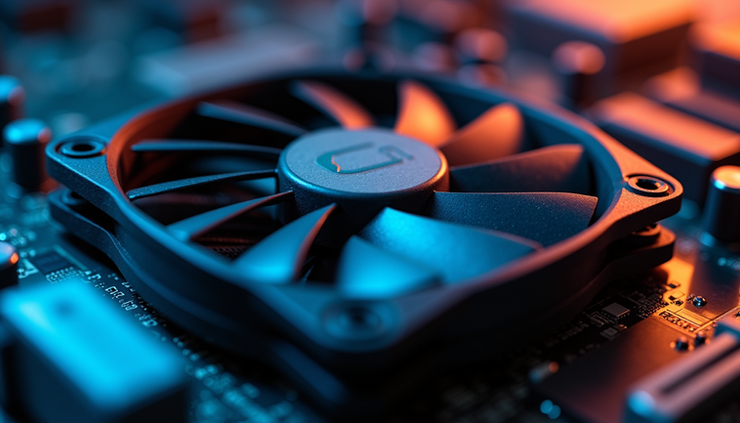
CPUs generate heat as they process data. If this heat is not dissipated efficiently, the processor may throttle its speed to prevent overheating, reducing performance. In extreme cases, overheating can cause system crashes or permanent damage. A good CPU cooler maintains safe temperatures, allowing the processor to run at its full potential.
Effective cooling also benefits overclockers who push their CPUs beyond factory settings. Overclocking increases heat output, making a reliable cooler essential for stability and safety.
Types of CPU Coolers
There are two main types of CPU coolers: air coolers and liquid coolers. Each has advantages and disadvantages depending on your needs and setup.
Air Coolers
Air coolers use a heatsink and fan to dissipate heat. The heatsink absorbs heat from the CPU, and the fan blows air over it to dissipate it.
Pros:
Generally more affordable
Easier to install
Fewer points of failure
Low maintenance
Cons:
Larger models can be bulky and heavy
May not cool as effectively under heavy loads or overclocking
Popular air coolers include the Noctua NH-D15 and the Cooler Master Hyper 212. These offer excellent cooling for most users and fit a wide range of cases.
Liquid Coolers
Liquid coolers use a pump to circulate coolant through the CPU block and then through a radiator, where fans dissipate heat.
Pros:
Better cooling performance, especially for overclocked CPUs
A smaller CPU block allows for more clearance around the socket
Can be quieter under load
Cons:
More expensive
More complex installation
Potential risk of leaks (though rare with quality units)
Requires occasional maintenance
All-in-one (AIO) liquid coolers, such as the Corsair H100i or the NZXT Kraken series, are popular choices. They offer a balance between performance and ease of use compared with custom liquid-cooling loops.
Factors to Consider When Choosing a CPU Cooler
Selecting the best cooler depends on several factors related to your system and usage.
CPU Compatibility
Check the cooler’s compatibility with your CPU socket type. Common sockets include Intel’s LGA 1200, LGA 1700, and AMD’s AM4 or AM5. Manufacturers list supported sockets, so verify before purchasing.
Case Size and Clearance
Measure the space inside your case. Large air coolers may not fit in compact cases, and radiator size for liquid coolers must match available mounting points. Also, consider RAM height clearance, as some tall air coolers can block memory slots.
Noise Levels
Cooling performance often comes with noise trade-offs. Fans running at high speeds can be loud. Look for coolers with quiet fans or adjustable fan curves. Liquid coolers tend to be quieter under load but check reviews for specific models.
Cooling Performance
Consider your CPU’s thermal design power (TDP). Higher TDP CPUs generate more heat and need stronger cooling. If you plan to overclock, choose a cooler rated for higher heat dissipation.
Budget
Air coolers generally cost less, starting around $30 to $60 for good models. Liquid coolers range from $70 to over $200, depending on radiator size and brand. Balance your budget with your performance needs.
Installation Tips for Best Results
Proper installation impacts cooling efficiency. Here are some tips:
Clean the CPU surface and cooler base before applying thermal paste.
Use a high-quality thermal paste and apply a thin, even layer.
Secure the cooler firmly but avoid overtightening screws.
Ensure fans are oriented to push air through the case efficiently.
Connect fan headers to the motherboard for speed control.
Examples of Popular CPU Coolers
Noctua NH-D15: A top-tier air cooler known for quiet operation and excellent cooling. Ideal for high-end CPUs and overclocking.
Cooler Master Hyper 212 Black Edition: A budget-friendly air cooler with solid performance for mid-range builds.
Corsair H100i RGB Pro XT: A 240mm AIO liquid cooler with customizable RGB lighting and strong cooling for gaming rigs.
NZXT Kraken X63: A 280mm liquid cooler praised for its sleek design and quiet fans.

Final Thoughts on Choosing a CPU Cooler
Choosing the right CPU cooler depends on your processor, case size, noise preferences, and budget. Air coolers offer reliable, affordable cooling for most users, while liquid coolers provide extra performance for demanding setups. Always check compatibility and clearance before buying.



Comments